← Back to Agentic Workflow Guide
Chapter 1 Foundations
What is an agentic workflow and why does it matter?
What Is an Agent?
Before we talk about workflows, we need to define the word agent. In the context of AI, an agent is a program that:
- Perceives — It receives input from its environment. This might be a text prompt, a file, a security alert, or data from a sensor.
- Reasons — It processes that input and decides what to do. In modern AI agents, this reasoning is performed by a Large Language Model (LLM) like GPT-4 or Claude.
- Acts — It takes action based on its reasoning. Actions might include generating text, calling an API, running code, or querying a database.
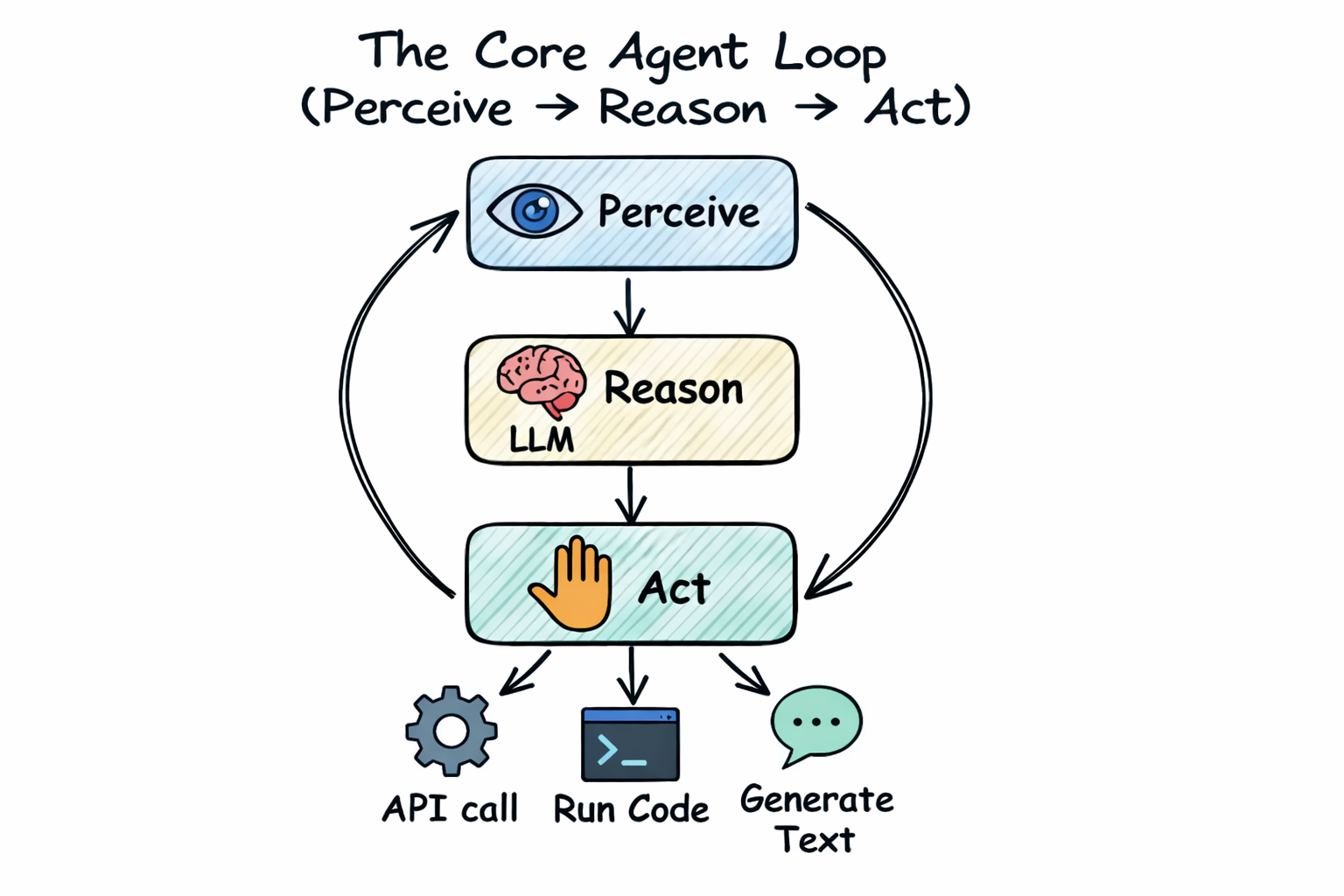
A simple chatbot is an agent: it perceives your message, reasons about a response, and acts by replying. But chatbots are limited. They can only generate text. A more powerful agent can also use tools — it can call functions, access databases, execute code, and interact with the outside world.
Consider a security analyst who receives an alert: “Suspicious outbound connection from server-42 to 203.0.113.99 on port 4444.”
A human analyst would: read the alert, check the IP reputation, look at firewall logs, check if the port is associated with known malware, and write a report. That’s perceive → reason → act.
An AI agent does the same thing: it receives the alert text (perceive),
the LLM decides it needs to check the IP reputation (reason), and it calls a
check_ip_reputation tool to query a threat intelligence database (act).
Then it takes the result, reasons about what else it needs, and continues until
it has enough information to write a report.
Why Not Just Use One Agent?
If a single agent can perceive, reason, and act, why would you ever need more than one? For the same reason a company doesn’t have one employee doing everything:
| Limitation | What Happens | Multi-Agent Solution |
|---|---|---|
| Context window | A single agent’s prompt grows with every tool call and observation. After 50+ interactions, the LLM may lose track of earlier information or exceed its token limit. | Split the task across agents. Each agent has a fresh, focused context. |
| Specialization | A single prompt that says “you are an expert in malware analysis, network forensics, incident response, and report writing” is weaker than four focused prompts. | Give each agent a single, well-defined role with a precise prompt. |
| Tool overload | LLMs get confused when given too many tools. Research shows accuracy drops as the number of available tools increases. | Give each agent only the 2–5 tools it needs for its specific task. |
| Reliability | A single agent making all decisions is a single point of failure. If it makes a wrong choice early, everything downstream is wrong. | Multiple agents can check each other’s work, vote on answers, or provide fallback paths. |
| Speed | A single agent must work sequentially. It can’t analyze a binary AND check network logs at the same time. | Parallel agents can work simultaneously on independent tasks. |
What Is an Agentic Workflow?
An agentic workflow is a system of multiple agents working together to accomplish a goal that a single agent couldn’t handle well alone. But “working together” is vague. How exactly do multiple agents coordinate?
There are many ways to describe this, but we think one mental model captures everything:
That’s it. This mental model will carry you through the entire guide. Let’s make it concrete.
The Graph Metaphor, Explained
If you’ve ever drawn a flowchart, you already understand this. A directed graph is a set of boxes (nodes) connected by arrows (edges). The arrows have a direction: they point from one box to another.
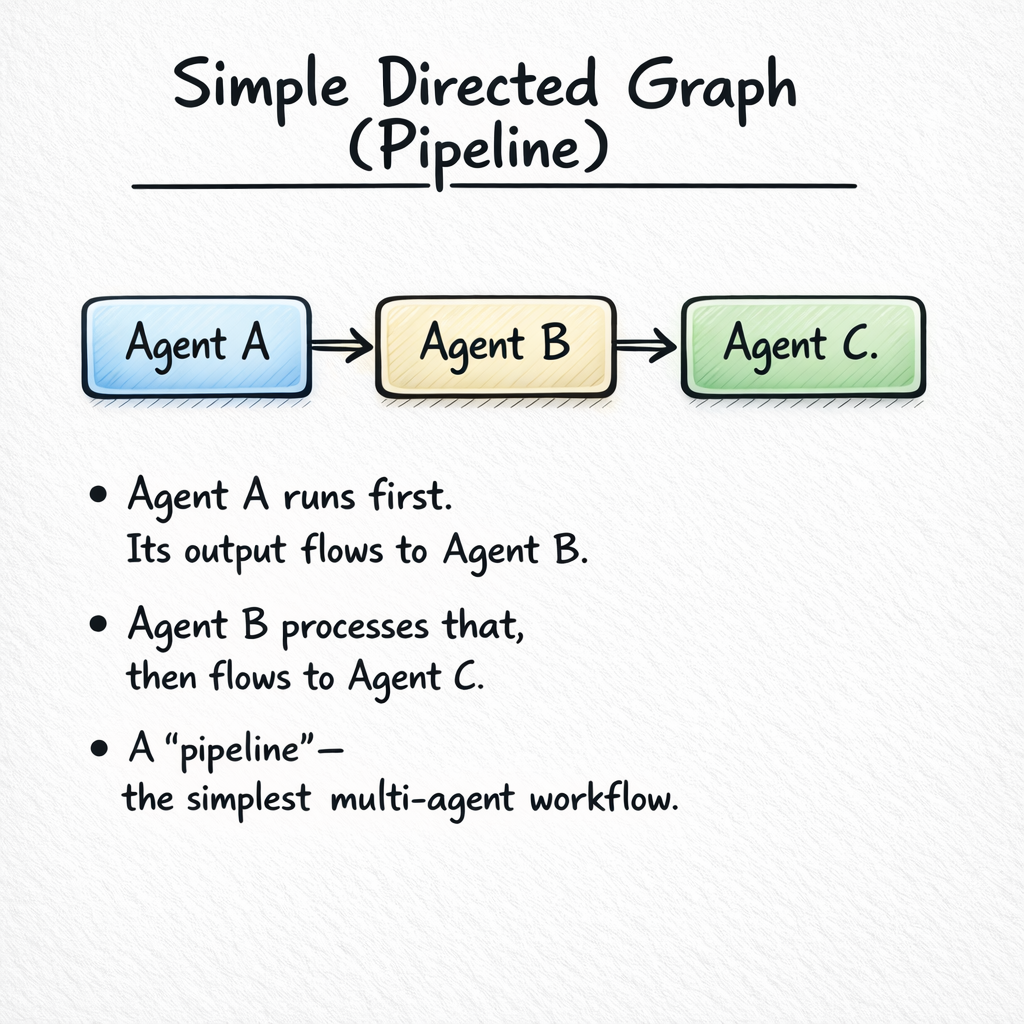
Now let’s name the parts:
| Graph Concept | In an Agentic Workflow | Example |
|---|---|---|
| Node | An agent — a unit that takes input, reasons about it, and produces output. | An LLM with a system prompt and tools that analyzes malware. |
| Edge | A connection between two agents that carries data from one to the next. | The arrow from “Analyzer” to “Responder” that carries the analysis results. |
| Entry point | Where execution begins. The first node in the graph. | The node that receives the initial input (e.g., a security alert). |
| Terminal node | Where execution ends. The node whose output is the final result. | The node that produces the final report or submits a flag. |
Why a Graph?
You might wonder: why specifically a graph? Why not a script, a pipeline, or a state machine? Because graphs are general enough to express any coordination pattern:
- A script (do step 1, then step 2, then step 3) is a graph with no branches — a straight line.
- A pipeline (A → B → C) is a linear graph.
- An if/else (if malware → handle malware, else → handle false positive) is a graph with a branch.
- A loop (try, check, retry) is a graph with a back-edge.
- Parallel execution (analyze three things simultaneously) is a graph with a fan-out and fan-in.
Every coordination pattern you could possibly want is expressible as a graph. That’s why modern agentic frameworks (LangGraph, CrewAI, AutoGen, etc.) use graphs as their core abstraction.
The Four Design Dimensions
Given that a workflow is a graph, every design decision falls into exactly one of four categories. These are the four questions you answer when you design any agentic workflow:
| # | Dimension | Question | Chapter |
|---|---|---|---|
| 1 | Node configuration | What does each agent do? What LLM, prompt, and tools does it use? | Chapter 2 |
| 2 | Topology | How many agents are there, and how are they connected? | Chapter 3 |
| 3 | Control flow | In what order do agents run? What decides the path? | Chapter 4 |
| 4 | Information flow | What data moves along the edges? How much does each agent see? | Chapter 5 |
Chapters 6 and 7 cover cross-cutting concerns (error handling, output aggregation) that apply to all four dimensions.
Our Running Example: Security Alert Triage
Throughout this guide, we’ll build a Security Alert Triage System. Let’s start with the simplest version and grow it chapter by chapter.
The Problem
A security operations center (SOC) receives hundreds of alerts per day. Each alert needs to be:
- Classified — What kind of alert is this? (malware, intrusion, misconfiguration, false positive)
- Assessed — How severe is it? (critical, high, medium, low)
- Investigated — What additional context is needed? (check IP reputation, examine logs, analyze binary)
- Responded to — What action should be taken? (block IP, quarantine file, escalate to human)
Version 0: One Agent
The simplest possible solution: one agent that does everything.
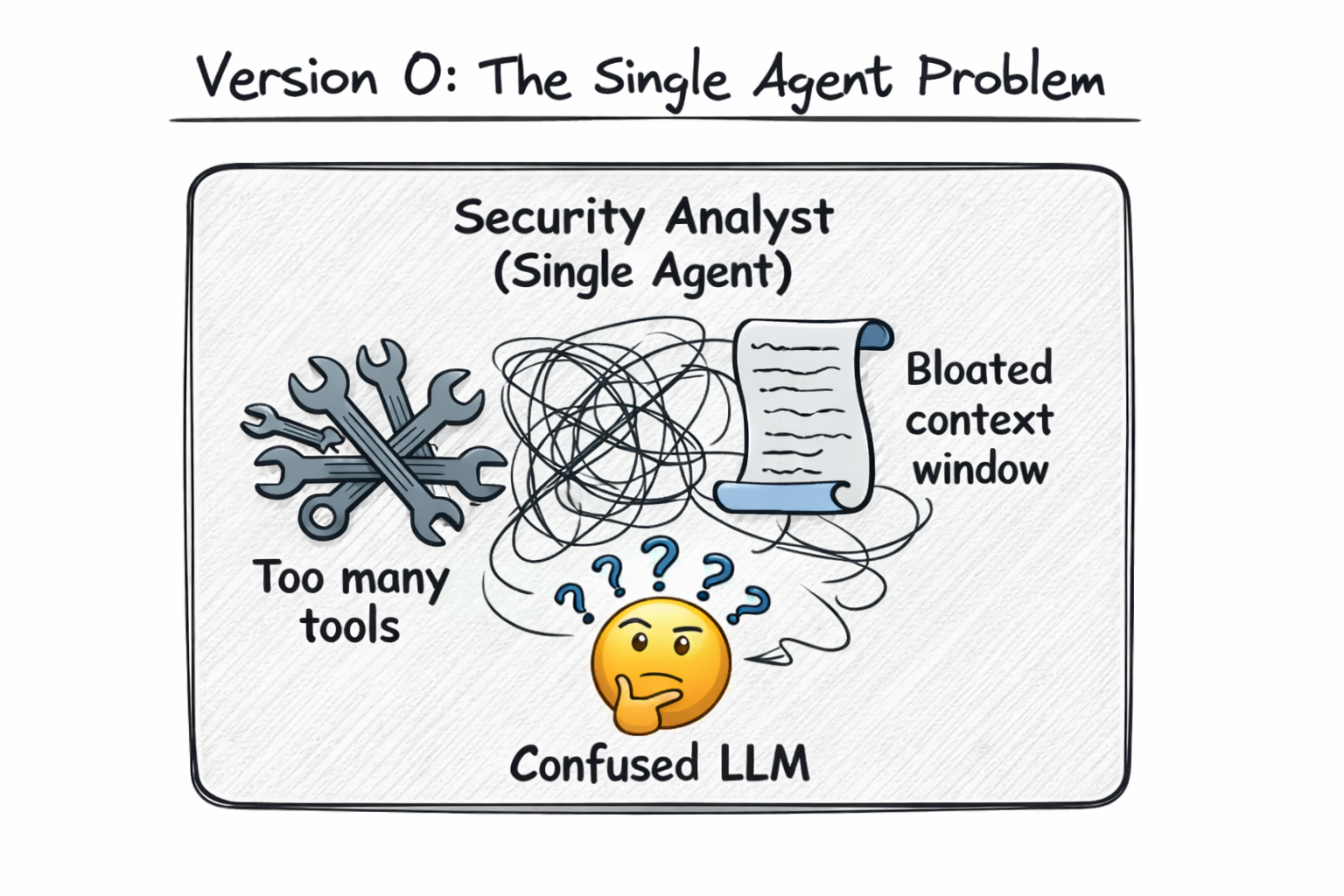
This works for simple alerts. But as we discussed, it hits limitations quickly: the prompt is too broad, 8 tools confuse the LLM, and the context window fills up during complex investigations. In Chapter 2, we’ll configure a single agent properly. In Chapter 3, we’ll decompose it into specialized agents.
What You Need to Know Before Starting
This guide assumes no prior experience with agentic workflows, multi-agent systems, or LangGraph. However, it does assume:
- Basic understanding of LLMs — You know that models like GPT-4 and Claude take text input and produce text output. You don’t need to understand transformers or training.
- Familiarity with prompts — You’ve written prompts before (e.g., “Summarize this text”). You know that prompt wording affects output quality.
- Basic programming concepts — You can read simple Python-like pseudocode. You understand functions, dictionaries, and lists.
If you’re familiar with concepts like function calling / tool use in LLMs, that’s helpful but not required. We explain tool use from scratch in Chapter 2.
Chapter Summary
- An agent is a program that perceives input, reasons about it (using an LLM), and takes action.
- A single agent hits limits (context window, tool overload, specialization) as tasks get complex.
- An agentic workflow is a graph of agents working together — nodes are agents, edges are data channels.
- Every design decision maps to one of four dimensions: node config, topology, control flow, or information flow.
- Tools like visual workflow editors let you design these graphs and compile them to executable code.